How it works
Start the tool
Windows: start the program, no installation needed. Linux: run the .pyz file with Python 3.
Select your game
Pick DYNA.EXE in your Dyna Blaster folder, or a .zip of the folder. The tool checks
every file it uses, converts graphics, music and sounds, and assembles the port.
Play on the Lynx
The result, Dyna_Blaster_V0_3.lnx, runs in a Lynx emulator such as Felix or Handy, or on a real
Lynx from a flash cartridge.
What the port does
The whole story
All eight worlds with 64 rounds, the bosses at the end of each world, the intro, the ending and the passwords of the original.
Battle for up to four
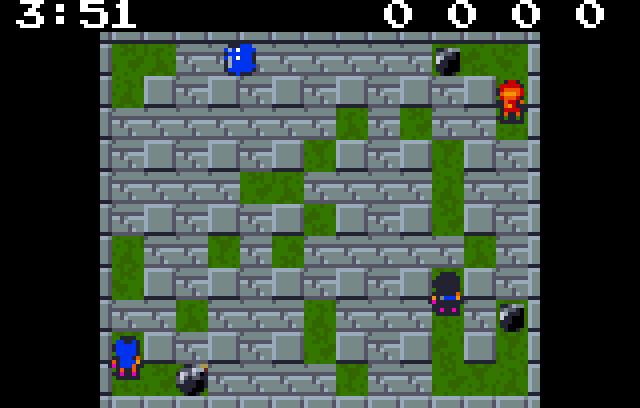
Battle mode against three computer bombers on one Lynx, or with two to four Lynx connected by ComLynx cable – every player on their own console.
Two views
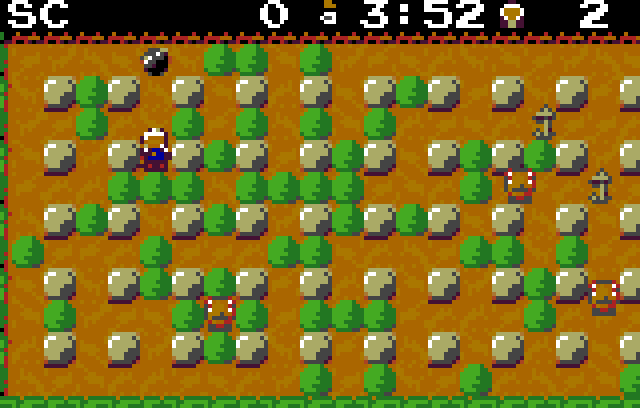
The whole field at a glance, or a close-up view with bigger tiles that scrolls with your bomber. Option 1 switches at any time.
Rebuilt, not emulated
The game logic was rebuilt from the original program in 65C02 assembly and checked against it step by step, so the rounds play like the original – enemies, bombs, bonuses and timing.
On the Lynx
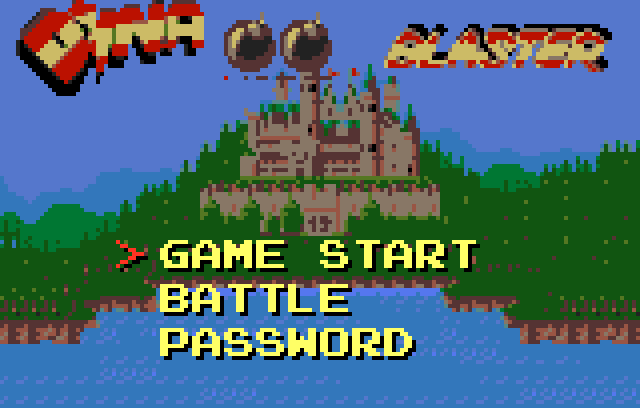
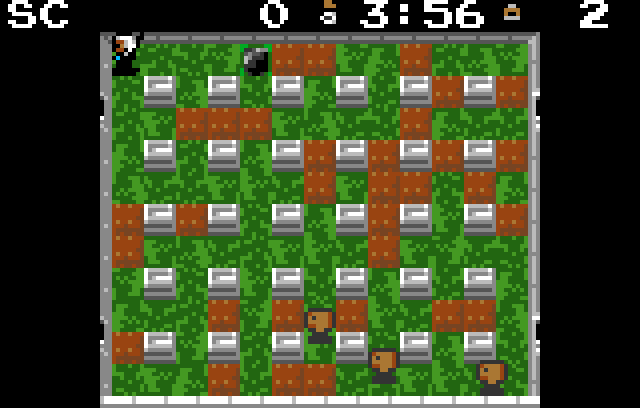
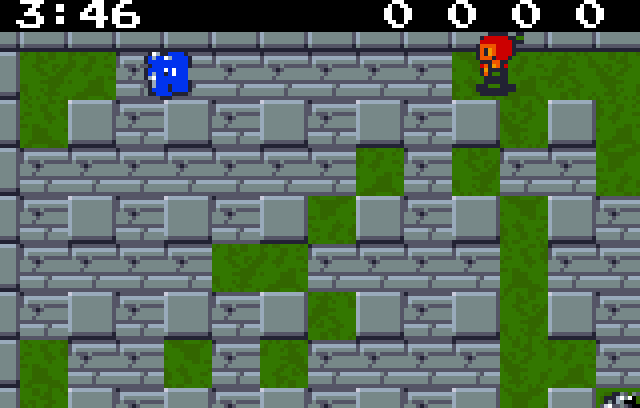
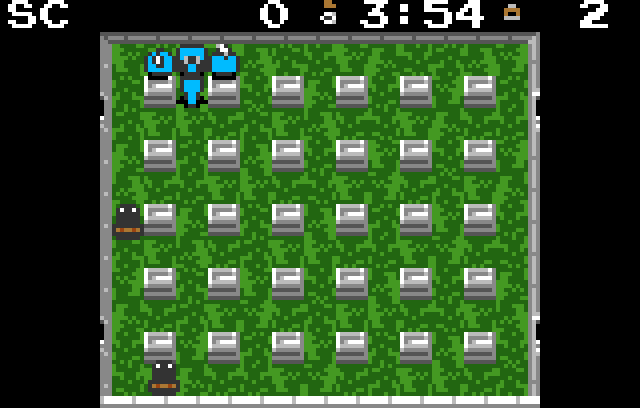
What you need
- Your own copy of Dyna Blaster for MS-DOS: the game folder (with
DYNA.EXE,DIGI.DAT,MUSIC.DATand the folderGFX), or a.zipof it. - Windows 10 or 11 – or Linux on x86-64 or ARM64 with Python 3.8 or newer.
- A Lynx emulator, or a real Lynx with a flash cartridge.
Controls
| D-pad | walk |
| A | drop a bomb |
| B | remote detonator (once collected) |
| Option 1 | whole field / close-up view |
| Pause | pause; in the pause Option 2 quits the game |
Made by a human and an AI
The author
Had the idea and decided what the port should become: faithful to the original, the whole story and not a demo, battle against the computer and over the link cable, a smooth picture on a small screen. Played the builds, said what was wrong and what to try.
Claude, the AI
Analysed the original program, rebuilt the game logic, wrote the Lynx renderer, the music and sound conversion, the computer bombers, the link code, the builder, the tests and these texts – all in 65C02 assembly and Python.
Using AI is no secret here. The AI did most of the work – but the ideas, the decisions and the patience to play the same round once more came from a human, and the game itself is Hudson Soft's design.
Good to know
Everything happens on your PC. Nothing is sent anywhere, and the tool needs no internet connection.
A build takes a few minutes. At the end the builder says whether its result is identical to the reference build of the port – that is the cartridge image the port was tested with.
The game is complete, but details may still change.
Windows may show “Windows protected your PC” the first time, because the program is not signed. Click More info and then Run anyway.
SHA-256 of the Windows download: c3cb153c038148299c9eee534ef384339732150975136ba596ed448cdc845128
Linux command line
Download dyna-lynx-builder-0.3.pyz and run it with your game folder or a .zip of it, for example:
python3 dyna-lynx-builder-0.3.pyz ~/games/DynaBlaster
Without arguments it shows its help; --info GAME only checks your game files. The cartridge
image is written next to your game folder, or into the folder you name as a second argument. It needs
Python 3.8 or newer and nothing else – no Pillow, no NumPy, no compiler of your own.
SHA-256 of the Linux file: 2ca6f564c1c5b131702bbc98cc0a66c7664fd338e4f7e7ee9566ad79f62a3a83
Version history
- Colours as in the original game: the original shows all graphics with the palette of the current world and changes some colours while playing. The exit is a blue panel again, and it flashes when all enemies are defeated, as in the original. The frames of the power-ups are blue in the battle mode too, and the second battle bomber is black instead of green (white, black, red and blue, as in the original).
- The colours of each world were chosen again; blocks and pillars keep their look, some enemies are closer to the original.
- Fixed: uncovered items now look as in the original. In the story mode the exit and all power-ups appeared as a bomb icon; the exit is the exit panel again, also after the boss of each world. In the battle mode uncovered power-ups were invisible; they are shown again. Thanks to the player who reported it after testing on a real Lynx.
- The ROM Builder shows only English messages and a clearer progress log.
- The Linux version was tested on a Raspberry Pi (ARM64) with Python 3.8 and 3.13.
- First version of the ROM Builder. It builds the Lynx cartridge image of the port from your own copy of the MS-DOS game (the game folder or a .zip of it) and checks the result against the reference build of the port.
- The port: the story mode with all eight worlds, 64 rounds and the bosses, the intro, the ending and the passwords; the battle mode against three computer bombers or with two to four Lynx over ComLynx.
- Two views: the whole field, or a close-up view that scrolls with the bomber (Option 1).
- Music and sound effects converted from the AdLib music and the Sound Blaster samples of the original.
- Written in 65C02 assembly; the game logic was rebuilt from the original program and checked against it step by step.
Feedback
Found a bug in the ROM Builder or in the Lynx game, or have an idea? Let me know.