The nine builds in the video
Original
The game as it was released.
26 Oct
The first build with in-between pictures: every shape slides from where it was to where it will be.
27 Oct
Shapes can also change their form between two pictures, and the glitches at the edge of the screen are fixed.
27 Oct + morph fix
Like 27 Oct, but every face of every object may change its form. This produces broken shapes now and then.
Smooth
More objects glide instead of jumping, at the cost of fewer pictures. Now and then a shape is distorted.
Smooth 2
Smooth with fixes and at least two pictures per game step.
Steady
Always four pictures per game step, at a fixed rhythm.
Clean
Only fully computed pictures, no sliding at all – so no sliding errors, but few pictures.
Near/Far
Near objects are fully recomputed for the extra picture, far ones slide. Runs about 10 % slower than the original.
Which build looks best?
Watch the video – full screen helps, and so do the two slow-motion scenes at the end – and pick the build you would most like to play. The original counts, too. After voting you see the results so far.
One vote per browser. Votes are counted anonymously: no names, no e-mail addresses, no IP addresses are stored.
Made by a human and an AI
The author
Waited for this game back in the day and found it unplayable at its frame rate. Set the rule for every LX build – the game logic stays bit for bit, the speed stays the original – judged every build, rejected the ones that stuttered or showed glitches, asked for an even rhythm instead of more pictures, and now asks you to judge, too.
Claude, the AI
Took the cartridge apart, disassembled the 3D engine, wrote the new renderer, the in-between pictures and all eight variants in 65C02 assembler, the tests that prove the game state identical to the original, the autopilot that flies the video, the video itself and these texts.
Using AI is no secret here. The AI did the analysis and the code, the human set the course, judged every build and decided what to keep – and the game itself is still Steel Talons by Atari Games and NuFX from 1991.
How it works
The same game, step by step
The game logic runs exactly as in the original, once per game step. After every step the whole game state is compared with the original: identical. A faster renderer computes the picture of each step.
Pictures in between
The Lynx draws the 3D world as flat four-cornered sprites. Between two computed pictures, LX slides every one of them from its old place and shape to the new one – up to eight extra pictures per game step. The builds differ in how many they show and when.
The original tempo
A faster picture would also make the game faster. LX estimates how long the original would have needed for each step and waits accordingly, so the helicopter flies at the original speed.
Why the original is so slow
3D on an 8-bit CPU
Every face of every object is rotated, projected, clipped and cut into trapezoids by the 65C02 – before the Lynx's sprite engine draws a single pixel. A busy scene costs 18 to 21 screen refreshes, and the game draws one picture per game step.
One picture per step
The game runs its logic once, then draws once. Even in light scenes a brake holds the step at 15 refreshes. Result: three to four pictures per second.
Full memory
The Lynx has 64 KB of RAM, and the game uses nearly all of it. The sprites of two scenes barely fit at once, so the in-between pictures of one step compete for space with the next scene being computed.
Frame rate and rhythm
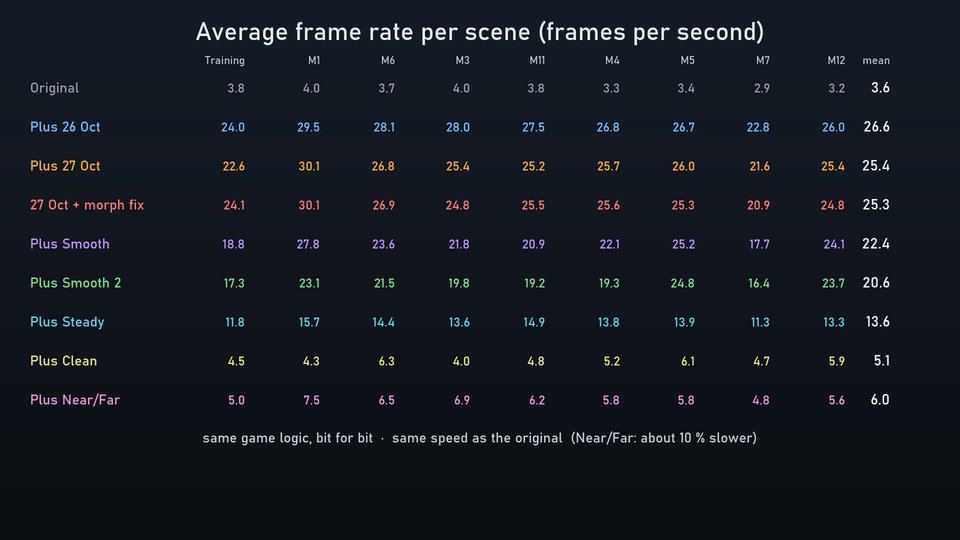
| Build | Pictures/s | Scenes | Gap | Unevenness |
|---|---|---|---|---|
| Original | 3.6 | 2.9–4.0 | 16.8 | 0.17 |
| 26 Oct | 26.6 | 22.8–29.5 | 2.3 | 0.58 |
| 27 Oct | 25.4 | 21.6–30.1 | 2.4 | 0.71 |
| 27 Oct + morph fix | 25.3 | 20.9–30.1 | 2.4 | 0.72 |
| Smooth | 22.4 | 17.7–27.8 | 2.7 | 0.85 |
| Smooth 2 | 20.6 | 16.4–24.8 | 2.9 | 0.92 |
| Steady | 13.6 | 11.3–15.7 | 4.4 | 0.42 |
| Clean | 5.1 | 4.0–6.3 | 11.8 | 0.31 |
| Near/Far | 6.0 | 4.8–7.5 | 10.1 | 0.35 |
Measured over the nine 12-second scenes of the video, all builds flown with the same inputs in the Felix emulator. Pictures/s: average, and the range over the nine scenes. Gap: average time between two new pictures in screen refreshes (1/60 s). Unevenness: how much these gaps vary (standard deviation divided by the average) – lower is a steadier rhythm. Many pictures at an uneven rhythm can look less smooth than fewer pictures at an even one.
Checked, not guessed
- Game state compared with the original after every game step: identical – all 13 missions for 27 Oct and Steady, autopilot flights for the other builds.
- Step duration of the LX builds within ±5 % of the original – except Near/Far, which runs about 10 % slower.
- Every picture of the video captured from the emulator; all nine builds start each scene at the same game step with the same inputs.
- The rhythm of the pictures measured from these captures (about 16,000 pictures).
- Pause and resume, crashes and full sprite pools tested in the emulator.
In the video
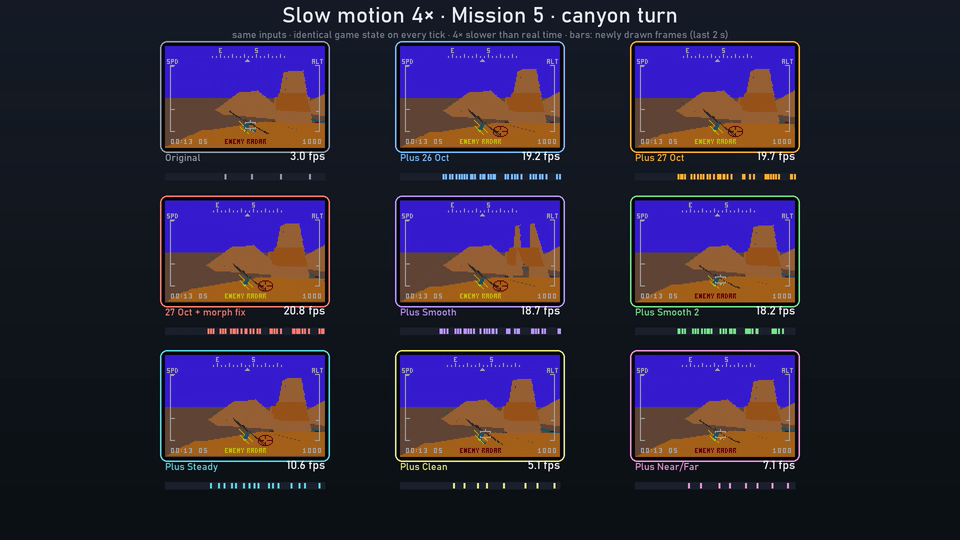
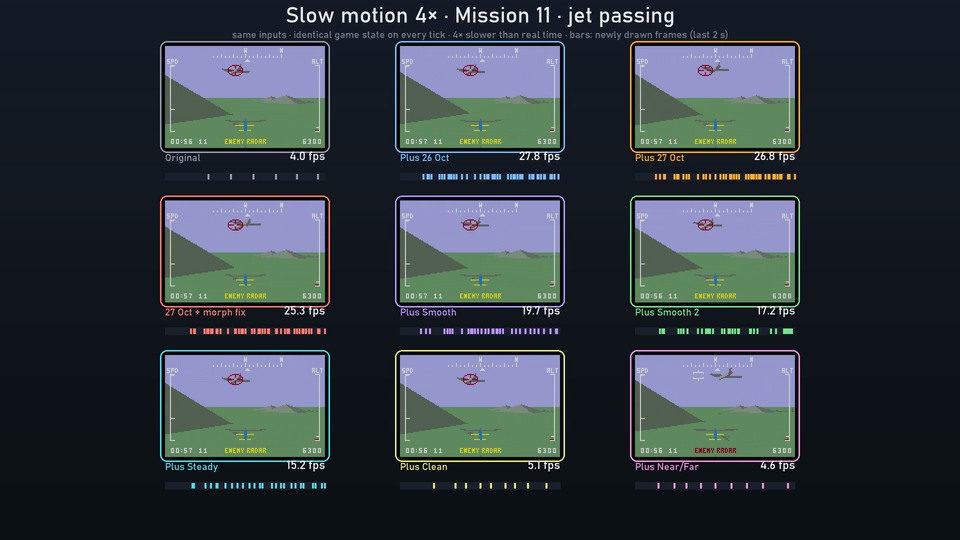
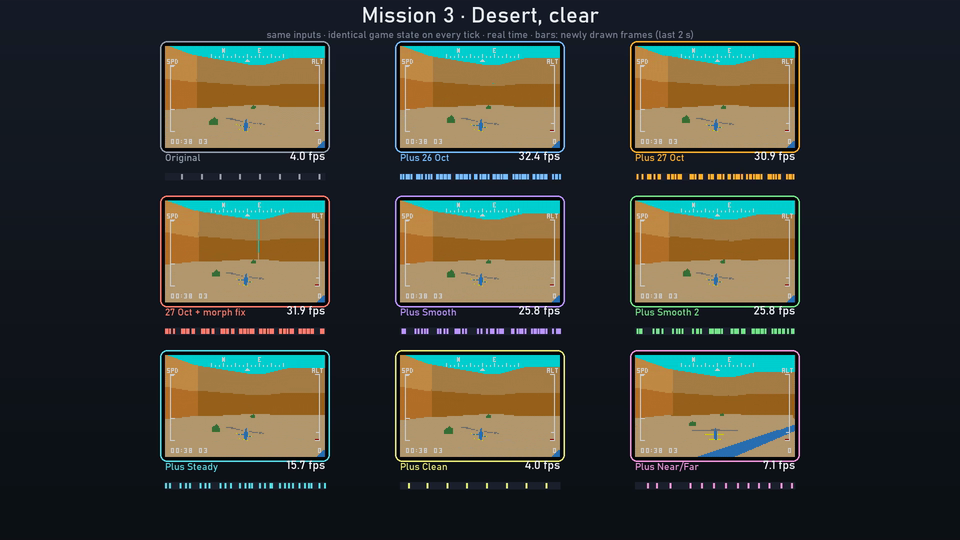
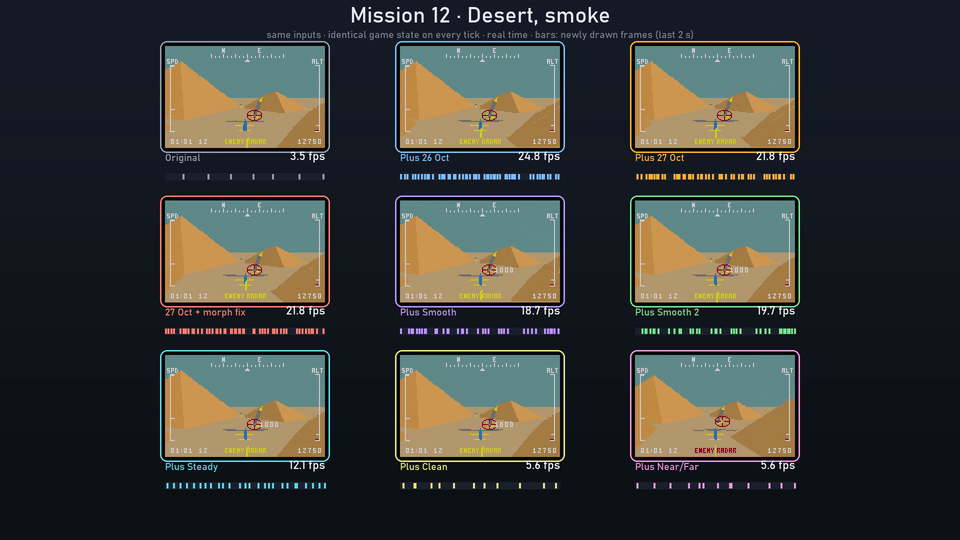
Status
- All nine builds run in the Felix emulator. Real hardware has not been tested yet.
- Your vote helps decide which build gets finished first.
- No download yet. LX is a modified cartridge image of a game that is still someone's property. A release would need a tool that applies the changes to your own cartridge image, like the ROM Builders on this site.
Good to know
Smooth or clean – that is the trade-off. In-between pictures are estimated, and on large faces close to the helicopter the estimate can be a few pixels off. Fully computed pictures are always right, but the Lynx manages only four to six of them per second at the original speed.
The numbers alone do not decide it: the builds with the most pictures switch between short and long gaps, which can look like stutter; Steady has fewer pictures at an even rhythm. That is why we ask you.
Project history
- Steady: four pictures per step at a fixed rhythm.
- Clean: only fully computed pictures – two per step at best.
- Near/Far: near objects fully computed for the extra picture, far ones slide (too slow to keep).
- Comparison video of all nine builds with two slow-motion scenes, and this vote.
- More objects glide instead of jumping, at the cost of fewer pictures.
- Smooth 2: fixes for distorted shapes, at least two pictures per step.
- New renderer and up to eight in-between pictures per game step, tempo model, faster logic and sound driver, all missions playable.
- 27 Oct: shapes change their form between pictures, screen-edge glitches fixed.
Feedback
Spotted something in the video, have a question about how it works, or an idea? Let me know. For the vote you do not need this form – see above.